Yahmation Flow
Visual workflow automation with an AI copilot. Build, test, and run multi-step automations from a drag-and-drop canvas.
What Flow Does
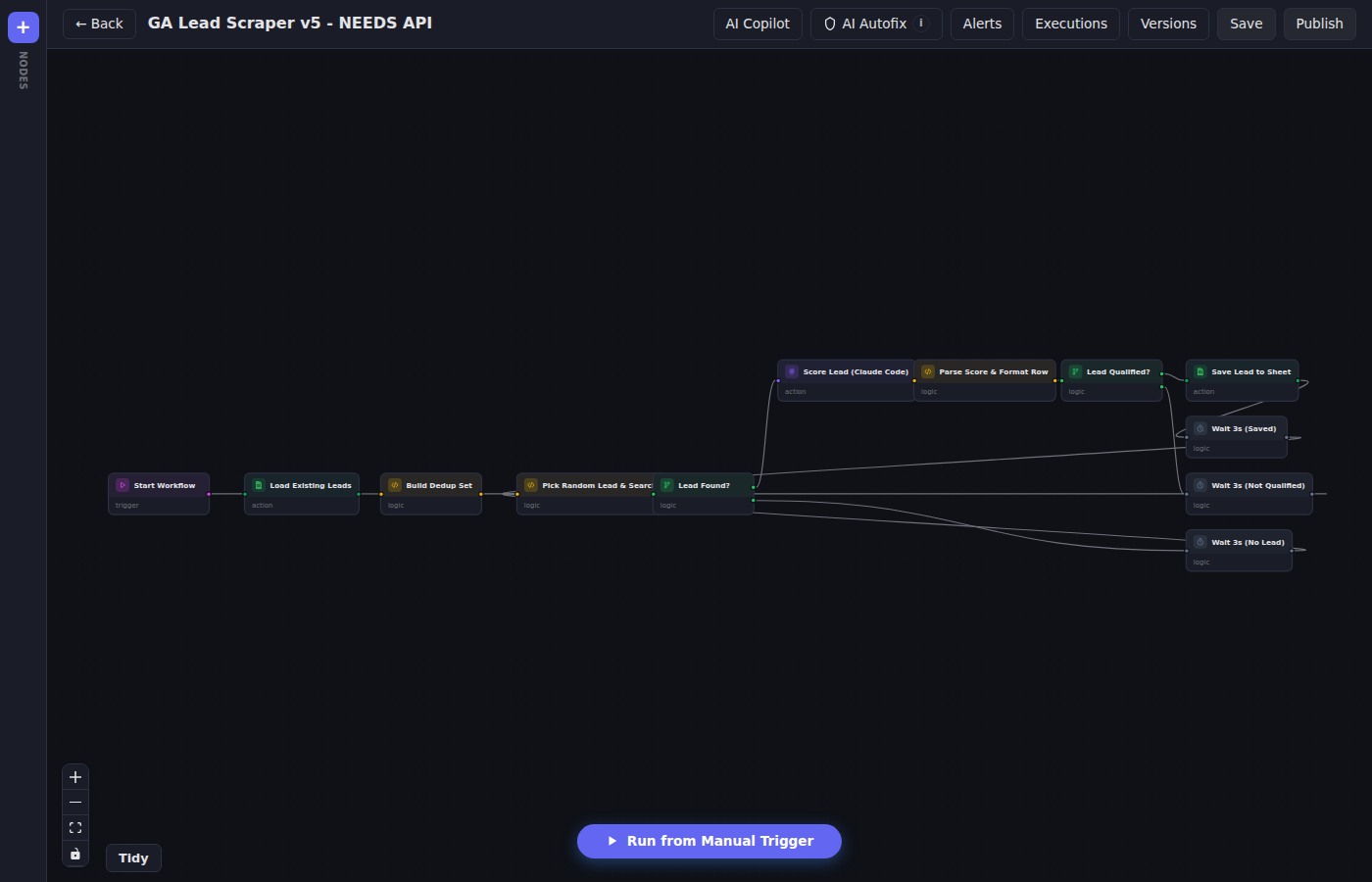
Visual Canvas
Design workflows by dragging nodes onto a canvas and connecting them. See your entire automation at a glance.
AI Copilot
Describe what you want to automate and the AI copilot builds the workflow for you. Edit, refine, and deploy in minutes.
30+ Integrations
Connect to the tools you already use — CRMs, email, Slack, Stripe, Google Sheets, webhooks, and more.
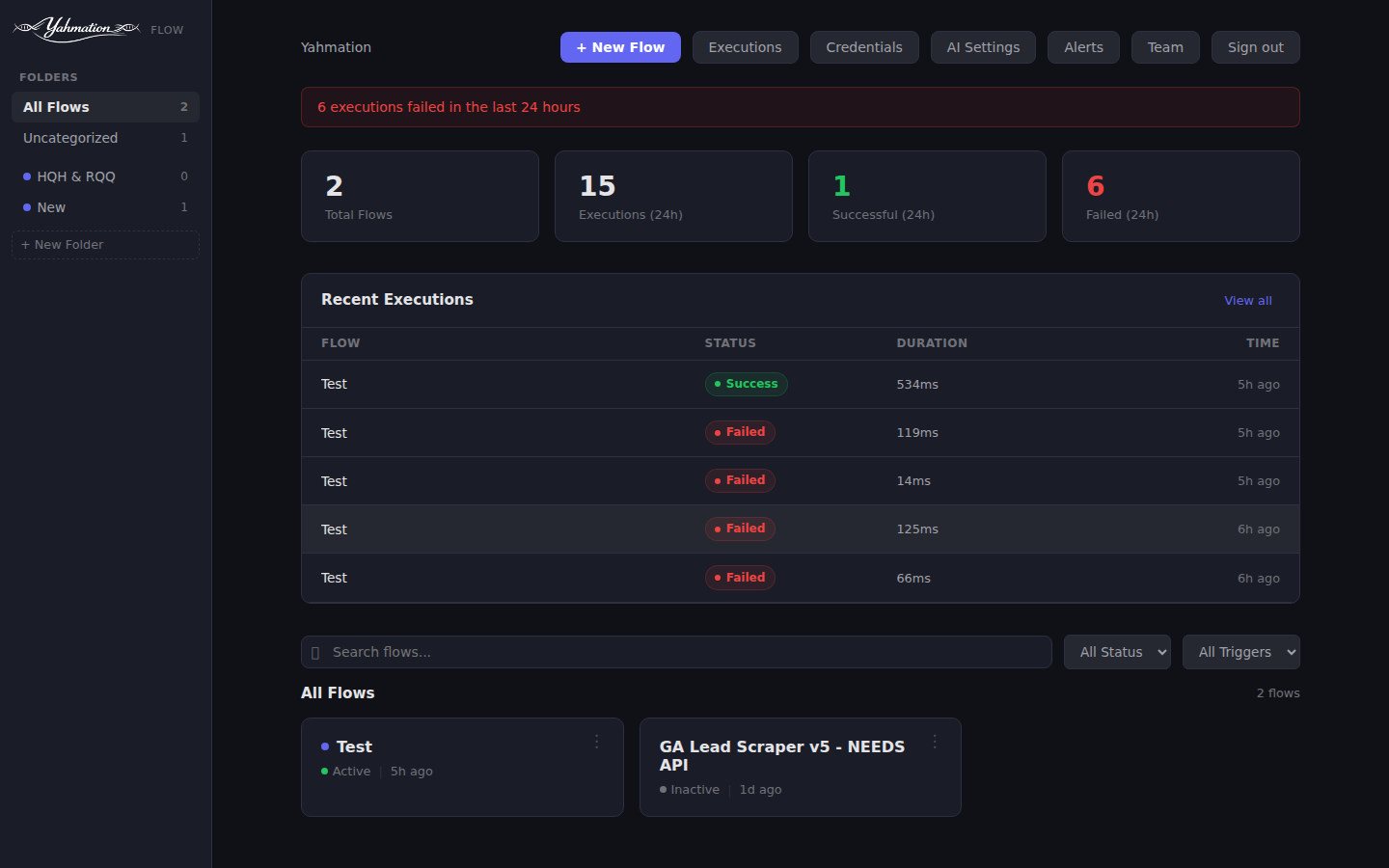
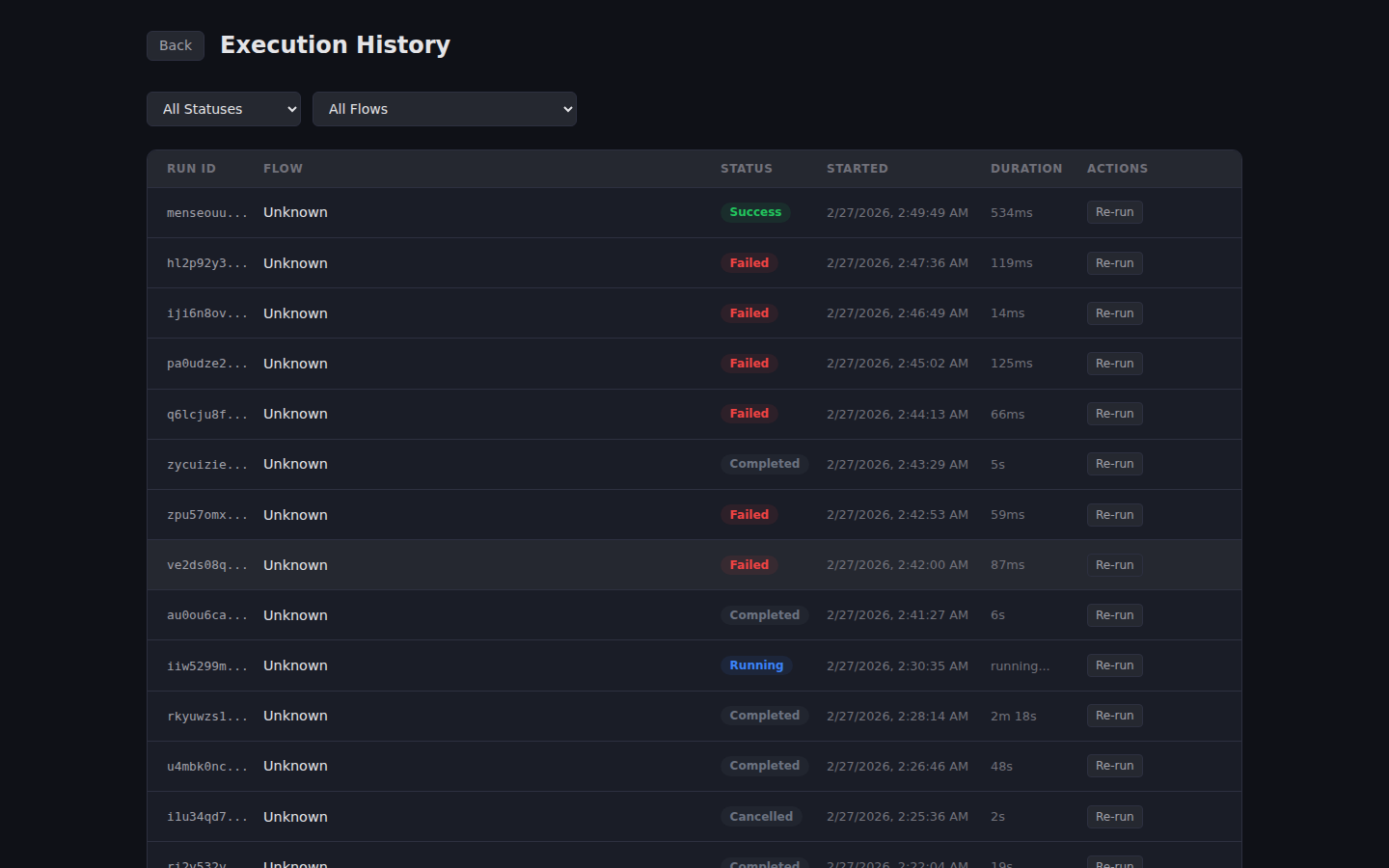
Execution Tracking
See exactly what happened in every workflow run. Step-by-step logs, timing data, and error details at your fingertips.
Conditional Logic
Branch workflows based on data, time, or conditions. Handle different scenarios without building separate automations.
Scheduling & Triggers
Run workflows on a schedule, via webhook, or in response to events from your connected tools.
Key Features
Multi-Tenant Isolation
Each organization gets its own isolated database. Your data is separate, secure, and never shared.
Real-Time Execution
Workflows execute in real time with a high-performance Go engine. Watch nodes light up as your automation runs.
Version History
Every change is tracked. Roll back to any previous version of your workflow with one click.
Get Early Access
Flow is currently available by invitation. Contact us to get access for your organization.
Contact Us